Markets & Instruments
Overview
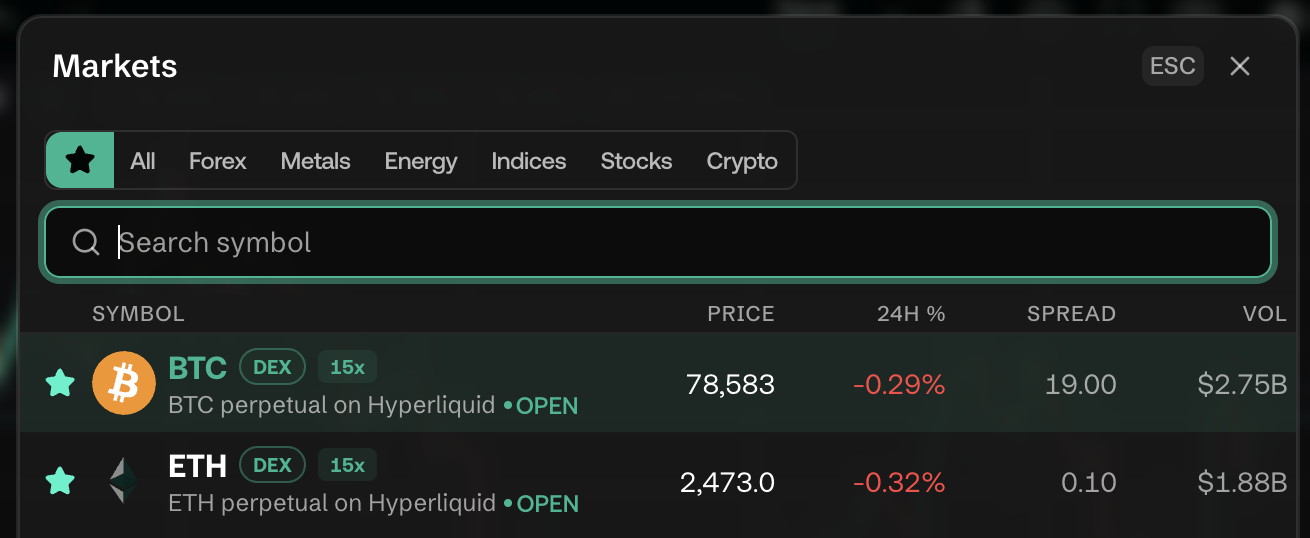
E8 Markets provides access to a broad range of tradeable instruments across multiple asset classes, all from the same terminal interface. The core concepts here are unchanged from the previous documentation; symbol browsing has moved under a new Discover Markets sidebar entry, and crypto perpetuals now explicitly show their venue and leverage tag.
Q: What asset classes can I trade on E8 Markets?
A: The terminal supports trading across the same broad set of asset classes as before:
- Forex — currency pairs (e.g., EUR/USD, AUD/CAD)
- Crypto — crypto/USD pairs and on-chain perpetuals (e.g., BTC, ETH), some explicitly tagged DEX with a leverage multiplier (e.g., "15x") when routed through an on-chain venue such as Hyperliquid
- Stocks — equity CFDs
- Futures — commodity and index futures
- CFDs / Indices — contracts for difference on commodities (Gold/XAUUSD, WTI Crude) and indices (e.g., Australia 200 Index)
Q: What does the "DEX" tag and leverage number next to a symbol mean?
A: New since the previous documentation. Some crypto instruments are traded as perpetual contracts on a decentralized exchange venue (observed: Hyperliquid) rather than as a plain CFD. The symbol header shows a DEX badge and the maximum leverage available for that instrument (e.g., "15x") right next to the ticker. The chart title also spells this out, e.g. "BTC perpetual on Hyperliquid."
Q: How do I search for a specific trading symbol?
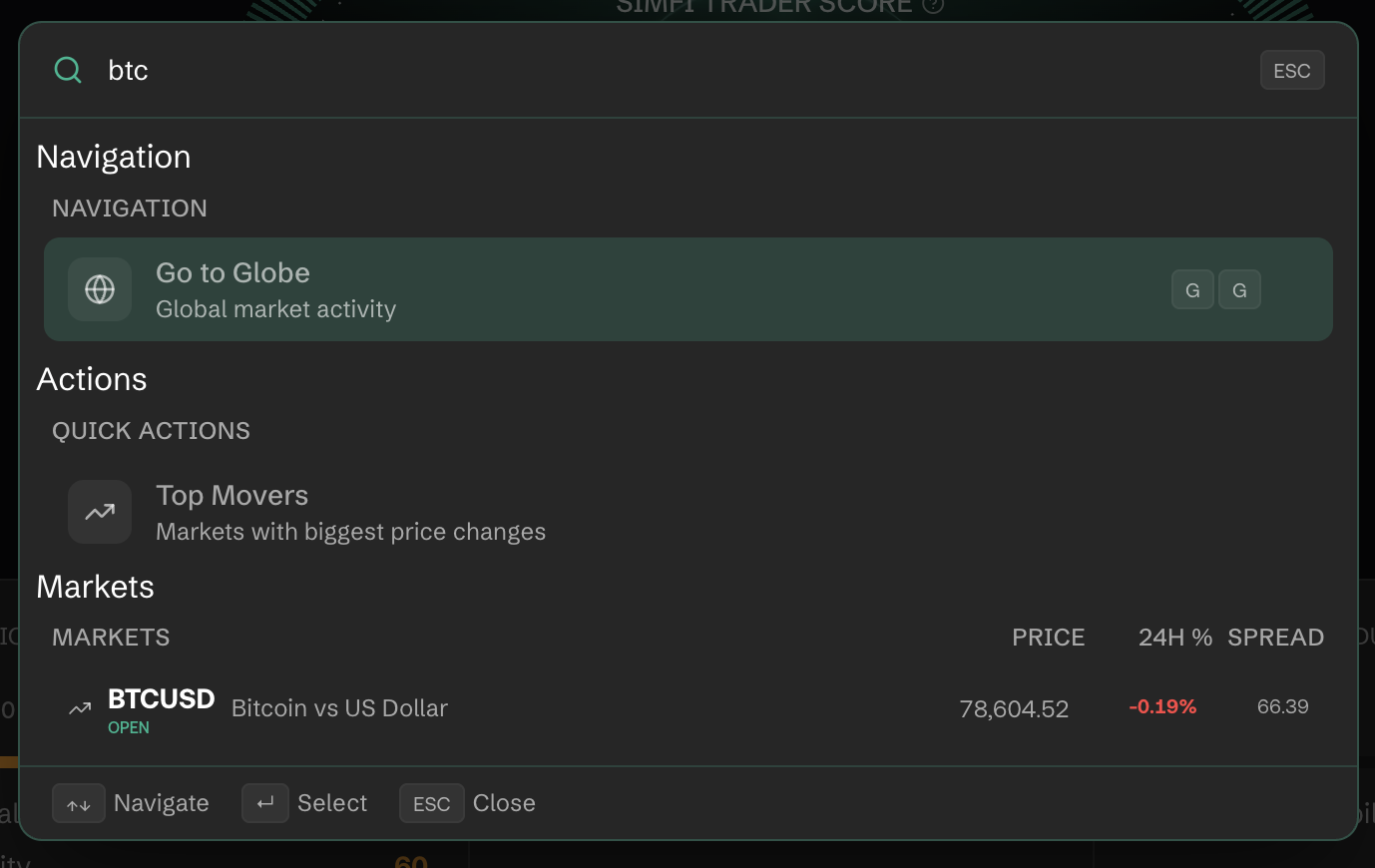
A: Click the magnifying-glass Search icon in the top header (or press ⌘K) to open Quick Search. Start typing any symbol name (e.g., "ETH", "GOLD", "EUR") and matching instruments appear instantly, each with live price, 24H % change, and spread. The same command palette also lists navigation shortcuts (Go to Trade, Go to Markets Watch, Go to News, etc.) above the market results.
Q: Where can I find all available instruments in one place?
A: Use the Discover Markets entry in the left sidebar (this replaces the old guidance to look in the TradingView chart's upper-left corner or the Order Panel). It expands to three destinations:
- Markets (
GM) — live market quotes, filterable by asset class - Asset Universe (
GU) — the full catalog of tradeable Hyperliquid/on-chain assets - News (
GN) — see Platform Features
Q: Are crypto instruments available 24/7?
A: Yes — crypto pairs and perpetuals trade around the clock, 7 days a week, unlike Forex (closed on weekends) or Stocks (which follow exchange hours). Unchanged from the previous documentation.
Q: What is the 24H High / 24H Low shown on the chart header?
A: The 24H High and 24H Low displayed next to the symbol price show the highest and lowest traded price over the past 24 hours. Note that at narrower window widths (for example, with the Order Panel open) the "24H High" and "24H Low" text labels can visually truncate to just the numbers — the values themselves are unchanged and still present.